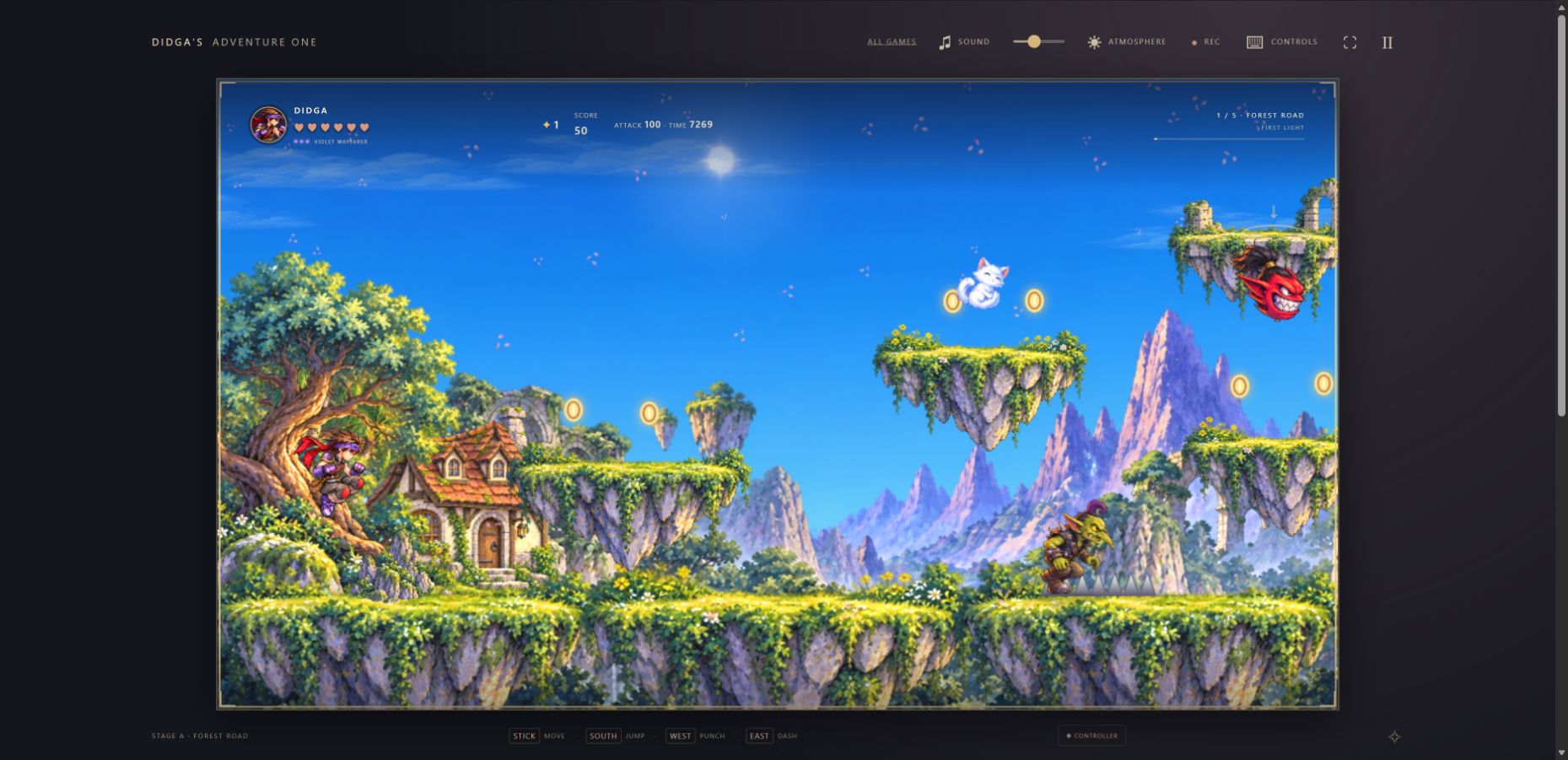
The supplied screenshot handoff became a local PNG feature for Adventure One, the separate five-stage power-glove remake.
One picture, with the game’s information.
Use Screenshot PNG below the game or press F8. The button becomes available after the artwork is ready, so the painted ensemble and title menu can be saved before starting a run.
During play, the image includes the current painted frame and its HUD. Supported pause, defeat and completion menus appear in the image too. Settings, character and recorder panels must be closed before capturing; the control explains when a view cannot be captured.
Freeze the picture without moving the game.
The game copies the current view to a separate canvas at its native 960 × 540 resolution before PNG encoding begins. Capture does not advance the simulation, change the weather or music, or restart a run. The filename identifies Adventure One, its current view and the capture time.
A busy guard prevents duplicate requests while an image is being prepared. The status says when a PNG download has been requested; your browser controls the final save location.
Keep the picture on your computer.
Screenshots are local downloads. They do not ask for screen sharing, microphone or camera access, and they are not sent to a gallery. The separate recorder continues to make local gameplay clips with optional game audio.
What was checked.
134 game checks and 13 website-package checks passed. Native browser checks confirmed 960 × 540 PNG downloads from the ready title, live gameplay and pause menu; F8 capture and keyboard Space activation; unchanged paused game, recorder and mute state across capture; capture guards for atmosphere, recorder and controller panels; a screenshot during video recording without stopping the clip; responsive and fullscreen title/gameplay output without shrinking the scene into outer letterboxing.
These results cover screenshot capture. They do not establish new physical-controller tests or a complete campaign playthrough.