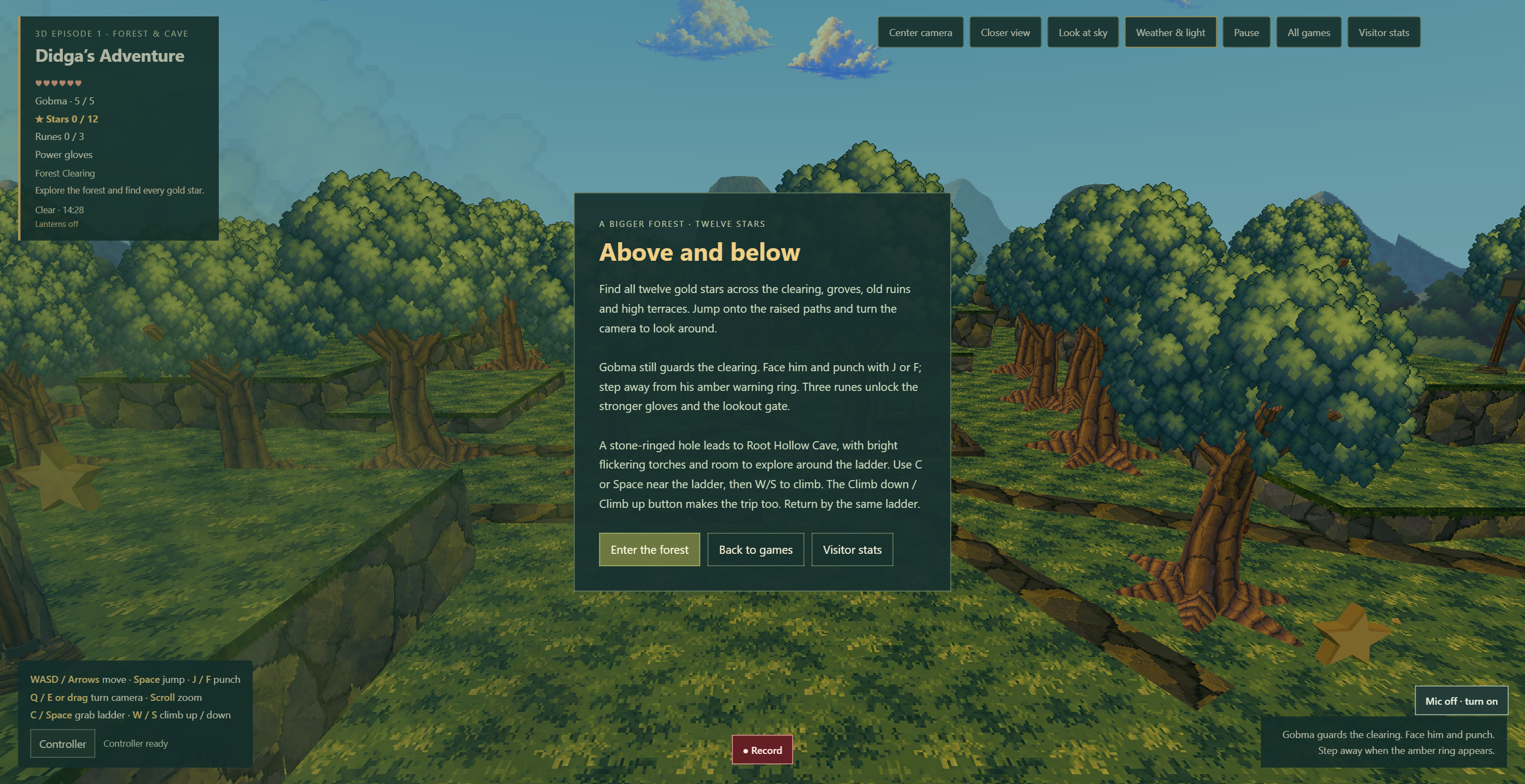
Version 0.24.0 adds a Screenshot PNG button below the 3D game. It captures the current scene together with the gameplay HUD and supported menus, then downloads one PNG file.
Keep the moment together.
The scene, interface and menu are captured from the same displayed state. Taking a screenshot does not advance the game, close a supported menu or start a recording. The ready screen, ordinary gameplay, pause menu and completed star hunt are supported.
Settings, controller setup, recorder controls, weather controls and error overlays are outside this capture path. The button explains when a panel must be closed first.
A picture on your computer.
The browser downloads the image locally. Screenshots do not request a microphone, audio recording or screen-sharing permission. They are not uploaded to a kiosk or a gallery.
The existing video recorder remains a separate option for capturing motion. This update adds screenshots to 3D Episode 1 only; the other games keep their existing controls.
What was checked.
All 428 game checks and 11 website-package checks passed. The game suite includes 22 new screenshot checks. Native browser checks confirmed three genuine local PNG downloads for the ready screen, gameplay and pause menu, each 2788 × 1434 pixels; unchanged world time and player position across ready-screen and paused captures; screenshot blocking while the weather and controller dialogs were open, with weather capture re-enabled after closing the dialog.
The ready PNG was visually reviewed for the scene, HUD, wrapped menu text and buttons. The completed-star-hunt menu was not captured in the native checks. Recorder blocking was checked in software; these checks do not establish new physical-controller or full-campaign results.